


Exploring GMI Broker Account Types and Login Options
Discover the relevance of GMI Broker in forex trading as we delve into the importance of account types and login options. GMI Broker stands as a prominent platform that caters to traders' needs. Gain insights into the diverse account types provided by GMI Broker, each offering unique features and benefits to suit individual trading preferences.
Additionally, understand the importance of login options, which determine the accessibility and convenience of your trading experience. By exploring GMI Broker's account types and login options, traders can make informed decisions to maximize their potential and achieve success in the forex market.
GMI Broker Account Types
ECN Account:
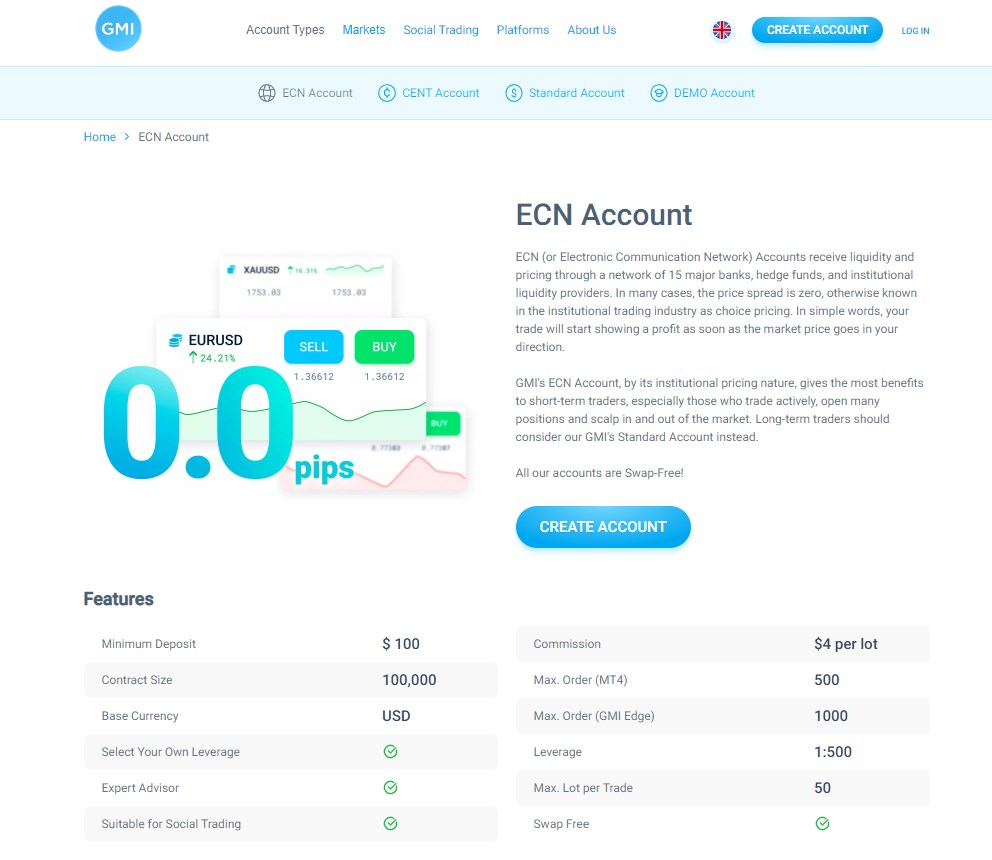
The ECN (Electronic Communication Network) account is designed for experienced traders who prefer direct market access. It provides access to interbank liquidity, tight spreads, and market execution without dealing desk intervention. Traders can benefit from transparent pricing through Depth of Market (DOM) and enjoy the advantages of competitive pricing from multiple liquidity providers.
Features:
Electronic Communication Network (ECN) account type.
Direct access to interbank liquidity.
Tight spreads.
Market execution of trades.
No dealing desk intervention.
Depth of Market (DOM) available for transparent pricing.
Benefits:
Suitable for experienced traders and those who prefer direct market access.
Access to competitive pricing from multiple liquidity providers.
Lower trading costs due to tight spreads.
Fast execution of trades with no re-quotes.
Transparent market conditions.
CENT Account:
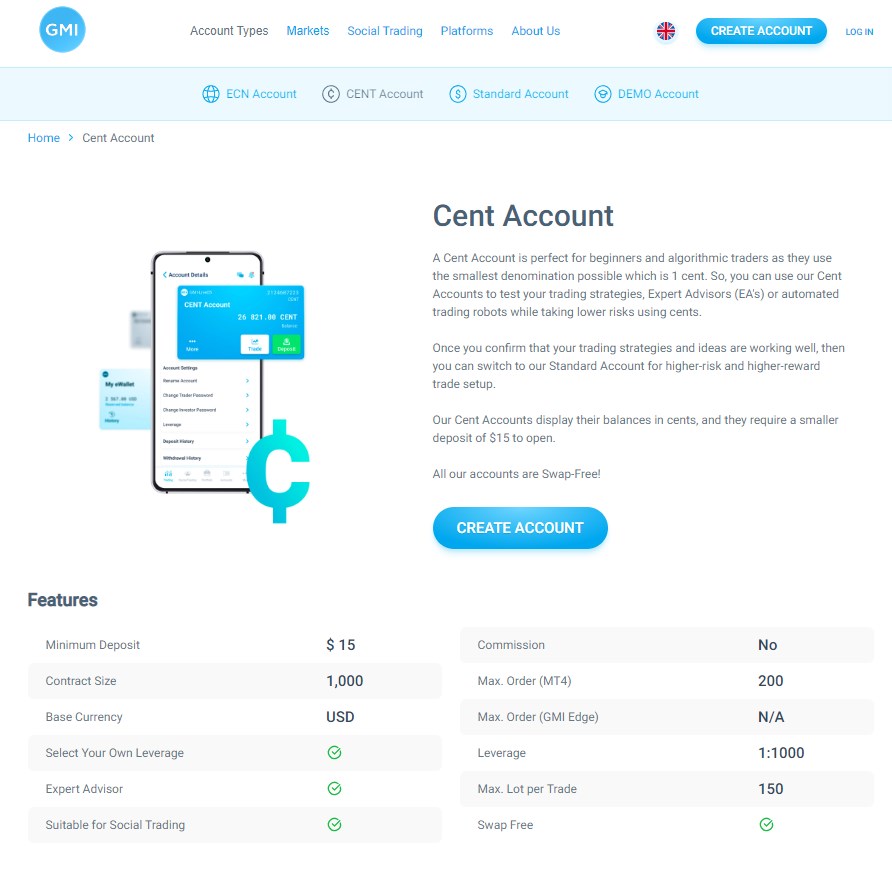
Features:
Account denominated in cents.
Allows trading with smaller volumes.
Suitable for beginner traders or those with limited funds.
Supports most trading strategies.
Variable or fixed spreads.
Benefits:
Provides a low-cost option for beginners to start trading.
Allows traders to test strategies and gain experience with smaller volumes.
Accessible to traders with limited funds.
Offers flexibility in choosing either variable or fixed spreads.
Standard Account:
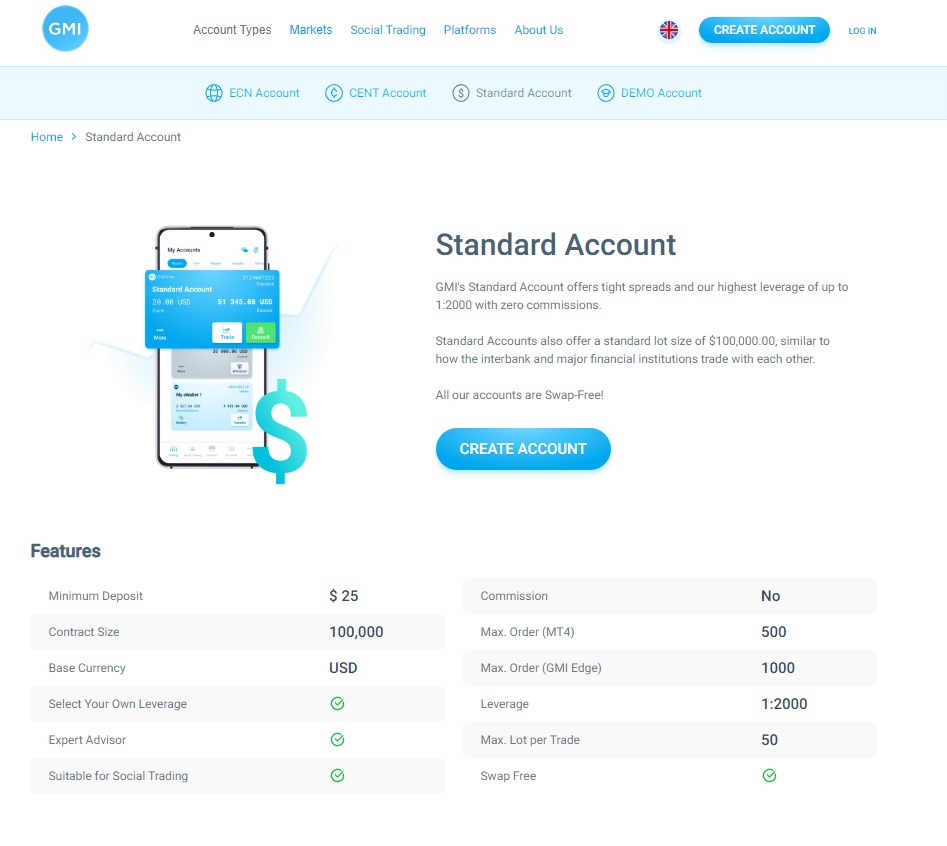
Features:
Standard trading account type.
Variable spreads.
Market execution or instant execution.
No restrictions on trading strategies.
Access to various trading instruments.
Benefits:
Well-suited for traders with moderate experience and capital.
Offers a wide range of trading instruments, including forex, commodities, indices, etc.
Flexible execution options based on market conditions.
Provides access to real-time market prices.
Demo Account:
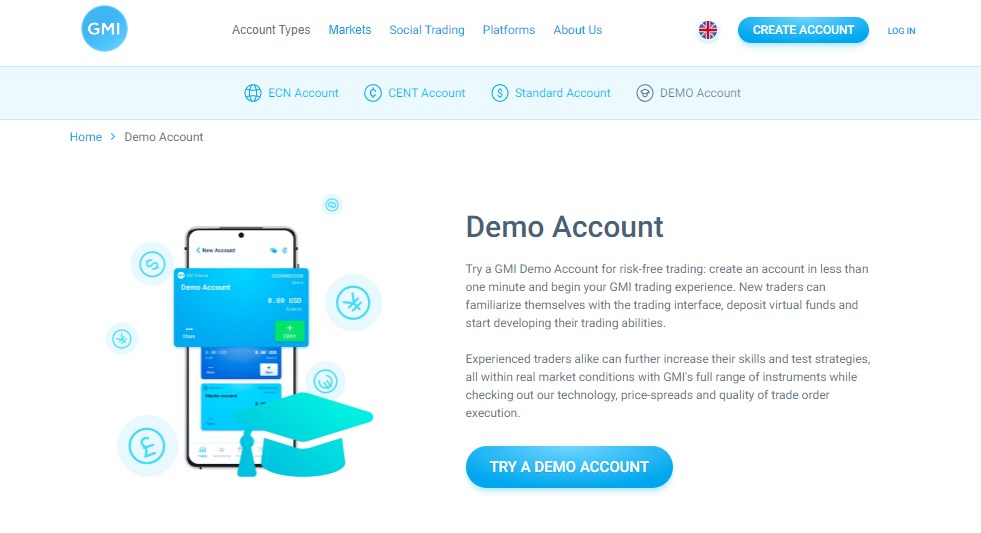
Features:
Practice account with virtual funds.
Simulates real market conditions.
No risk of losing real money.
Access to all trading tools and features.
Benefits:
Allows beginners to learn and practice trading strategies without financial risk.
Familiarizes traders with the trading platform and its features.
Provides an opportunity to test new trading ideas and techniques.
Helps build confidence before transitioning to live trading.
Login Options for GMI Broker
To access and log into your GMI Broker account, you have multiple login options available. Here is a step-by-step guide for each login option:
Web-based platform login:
1. Open your preferred web browser (e.g., Google Chrome, Mozilla Firefox).
2. Go to the GMI Broker website.
3. Look for the "Login" or "Sign In" button on the website's homepage and click on it.
4. Enter your username or email address and password in the provided fields.
5. Click on the "Login" or "Sign In" button to access your GMI Broker account.
Mobile app login:
1. Make sure you have downloaded and installed the GMI Broker mobile app on your device from the respective app store (e.g., Google Play Store, Apple App Store).
2. Launch the GMI Broker mobile app on your device.
3. Look for the "Login" or "Sign In" option within the app's interface and tap on it.
4. Enter your username or email address and password in the provided fields.
5. Tap on the "Login" or "Sign In" button to access your GMI Broker account.
Desktop software login:
1. Ensure that you have installed the GMI Broker desktop software on your computer.
2. Locate the GMI Broker software icon on your desktop or in the designated installation folder and double-click on it to launch the software.
3. Once the GMI Broker software is running, you should see a login screen or a prompt to enter your credentials.
4. Enter your username or email address and password in the appropriate fields.
5. Click on the "Login" or "Sign In" button to access your GMI Broker account.
Remember to use the correct login credentials provided by GMI Broker to ensure successful access to your account. If you encounter any issues during the login process, it is advisable to contact GMI Broker's customer support for further assistance.
Conclusion
Understanding the different account types and login options provided by GMI Broker is crucial for individuals interested in online trading and investment. By offering web-based platform login, mobile app login, and desktop software login, GMI Broker caters to users' preferences and provides flexibility in accessing their accounts.
Whether you prefer the convenience of logging in through a web browser, the mobility of a mobile app, or the features of desktop software, GMI Broker has you covered. It's important to familiarize yourself with the step-by-step guide for each login option to ensure a smooth and secure login experience. By choosing the right account type and login method, you can optimize your trading journey with GMI Broker.



Hottest





Copyright © 2026 FastBull Ltd


Risk Warning
FX trading is of high risk and may not be suitable for all investors. Leverage will create additional risks and loss. Before trading, please carefully consider your investment objectives, experience level and risk tolerance. You may lose part or all of your initial investment; do not invest money that you cannot afford. Educate yourself about the risks associated with FX trading. If you have any questions, please consult an independent financial or tax advisor. Any data and information are provided "as is" and only for information purpose, not for trading or recommendations. Past performance does not predict future results.
Disclaimer
The data contained in this website may not be real-time and accurate. The data and prices on this site are not necessarily provided by the market or exchange, but may be provided by market makers, so prices may be inaccurate and differ from actual market prices. Namely, this price is indicative price only to reflect market trend, and is unfavorable for trading purpose. The provider of the data contained in the Website shall not be liable for any loss incurred by you as a result of your trading activities or reliance on the information contained in the Website.