


- XAUUSD
- XAGUSD
- WTI
- USDX


견적
분석
사용자
7x24
경제 일정
교육
데이터
- 이름
- 최신 값
- 이전









2026년에 사용할 만한 외환 거래 소프트웨어는 무엇일까요? 가장 인기 있는 거래 플랫폼과 앱을 비교하고, 초보자에게 실제로 필요한 도구를 찾아보세요.
대부분의 외환 거래 초보자는 다섯 가지 앱이 필요하지 않습니다. 거래 연습을 할 수 있는 도구, 명확한 차트, 경제 캘린더, 그리고 거래 위험을 이해하는 데 도움이 되는 도구만 있으면 됩니다. 일부 플랫폼은 이러한 기능 중 여러 가지를 제공하는 반면, 다른 플랫폼은 한 가지 기능에만 특화되어 있습니다.
이 가이드에서는 MT4, MT5, cTrader, TradingView, FastBull 및 자동 거래 프로그램을 포함한 주요 외환 거래 소프트웨어 및 도구 유형을 다룹니다. 또한 어떤 도구가 초보자에게 적합한지, 브로커 연결이 필요한 시점, 그리고 2026년에 소프트웨어를 선택하기 전에 확인해야 할 사항들을 설명합니다.
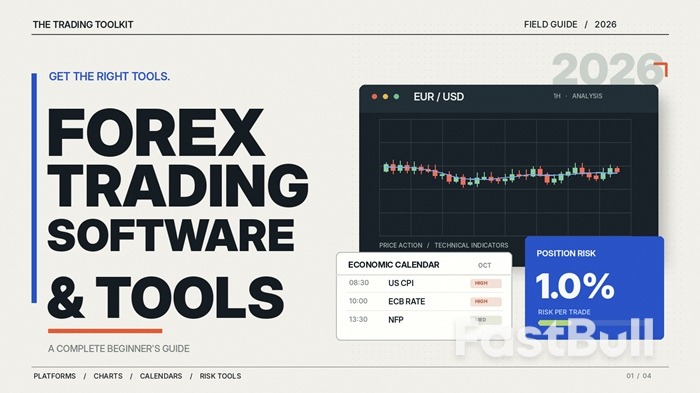
외환 거래 소프트웨어는 통화 시장을 분석하고, 거래를 체결하고, 거래 포지션을 관리하는 데 사용되는 프로그램을 말합니다. 예를 들어, MetaTrader 5와 같은 거래 플랫폼은 가격 차트, 기술 지표, 주문 실행 및 계좌 관리를 하나의 애플리케이션에서 제공합니다.
외환 거래 도구는 매우 다양한 기능을 제공합니다. 어떤 도구는 완전한 거래 플랫폼을 제공하는 반면, 다른 도구는 경제 이벤트 표시, 가격 변동 분석, 마진 계산 또는 거래 신호 생성과 같은 특정 작업에 중점을 둡니다. 시장 정보를 제공하는 도구라고 해서 반드시 거래가 가능한 것은 아닙니다.
외환 거래 앱은 일반적으로 스마트폰이나 태블릿을 통해 접속하는 소프트웨어를 의미하지만, 일부 서비스는 웹 및 데스크톱 버전도 제공합니다. 앱에 따라 거래, 분석, 시장 모니터링 또는 이러한 기능들을 조합하여 지원할 수 있습니다.
중요한 차이점은 소프트웨어가 실제로 무엇을 할 수 있게 해주는가입니다. EUR/USD 차트를 보여주는 앱은 분석에 유용하지만, 실제 거래를 하려면 일반적으로 지원되는 브로커 계정과 거래 기능이 필요합니다.
외환 거래 소프트웨어는 일반적으로 다섯 가지 범주로 나뉩니다. 각 소프트웨어의 역할을 이해하면 거래 플랫폼에서 필요한 기능과 별도의 도구로 처리할 수 있는 기능을 더 쉽게 결정할 수 있습니다.
거래 플랫폼은 주문을 체결하고 관리하는 곳입니다. 실시간 시장 가격을 표시하고, 계좌 정보를 보여주며, 거래자가 포지션을 개설하고, 손절매 및 이익 실현 수준을 설정하고, 거래 내역을 확인할 수 있도록 해줍니다.
대부분의 주요 플랫폼은 데스크톱과 모바일 기기에서 이용 가능하며, 많은 제공업체에서 웹 접속도 제공합니다. 하지만 플랫폼별 기능과 거래 경험은 동일하지 않습니다.
인기 있는 외환 거래 플랫폼은 다음과 같습니다.
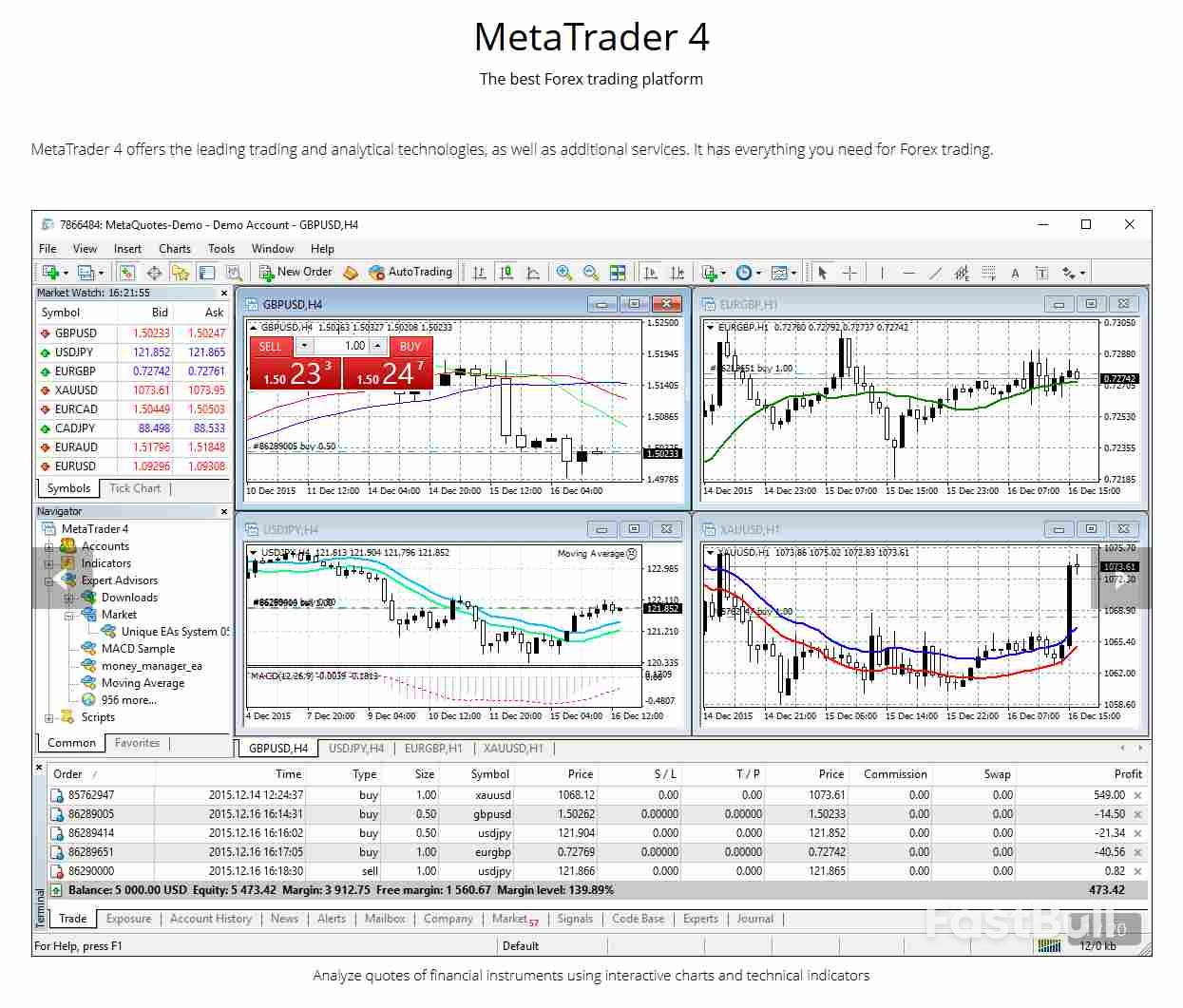
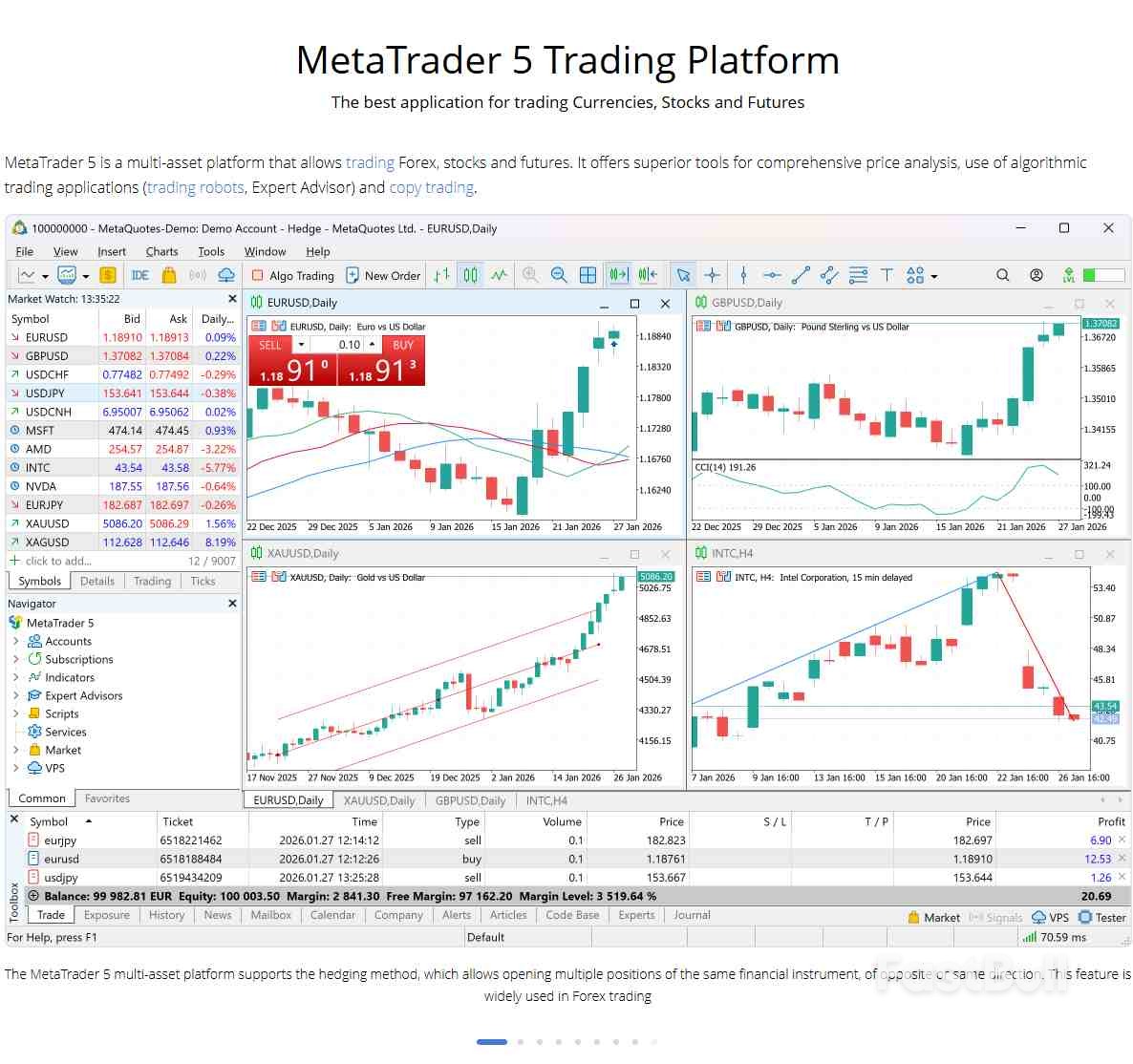
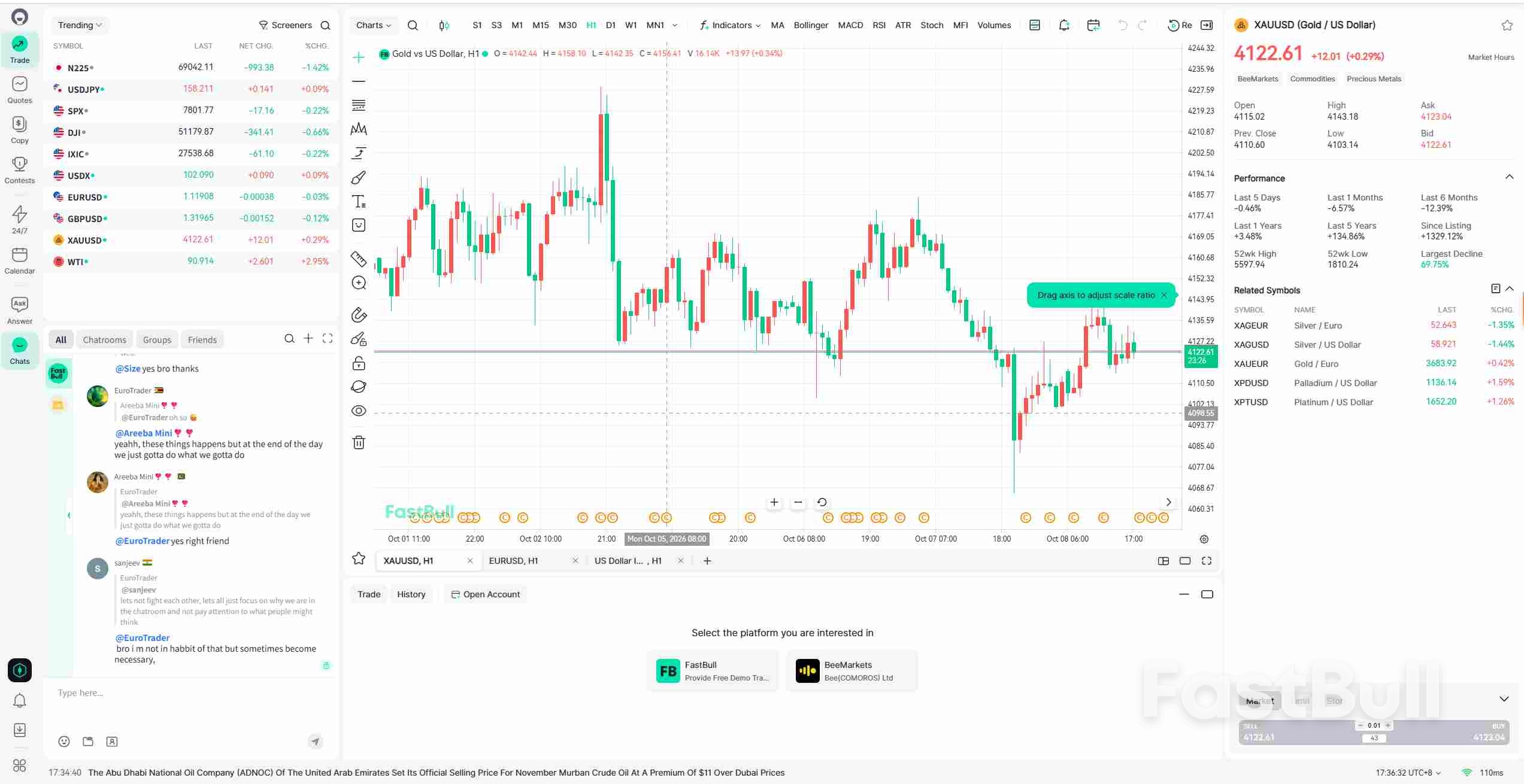
If you mainly trade from your phone, a broker's own app can be convenient for both trading and account management. FastBull offers a different setup: you can follow charts, news, and economic events in one place, and trade through the platform when your broker supports its trading integration. Traders who rely on custom indicators or automated strategies may still prefer MT4, MT5, or cTrader.
One important detail is that the platform does not determine all trading conditions. Two brokers offering MT5 can still have different spreads, commissions, leverage limits, available instruments, and execution arrangements. Before settling on a platform, check whether the broker you intend to use supports it.
Almost every Forex trading platform includes charts, so a separate charting tool is not always necessary. The main reason to use one is to get a more comfortable analysis environment, additional indicators, flexible chart layouts, or better ways to monitor several markets.
Charting tools help traders examine price movements across different timeframes, identify support and resistance levels, apply technical indicators, and set alerts for prices they want to watch.
Options worth comparing:
Charting software can often be used without opening a brokerage account. Some services also support broker connections, but that does not mean every chart or instrument is available for direct trading.
If you only follow a few currency pairs and use basic indicators, the charts included with your trading platform may be perfectly adequate. A separate service becomes more useful when you regularly compare markets, build custom layouts, or need additional analysis features.
Currency prices can move sharply when important economic information is released. Interest-rate decisions, inflation reports, employment data, and central bank announcements are among the events Forex traders often monitor.
An economic calendar shows when these events are scheduled. Many calendars also display previous results, market forecasts, and actual figures once the data is released.
For example, someone trading EUR/USD may want to check the dates of US employment reports or European Central Bank interest-rate decisions. Knowing when an announcement is due helps with planning, particularly if a position could be affected by sudden volatility.
Useful options include:
A useful calendar should make it easy to find relevant events, check their timing in your local time zone, and distinguish major announcements from routine releases. More news does not automatically mean better information.
News and calendar tools usually work independently from a broker. You can follow economic developments through one service while using a different platform to place trades.
Trading platforms show prices and positions, but they do not always make the numbers behind a potential trade easy to understand. Forex calculators help with questions such as how much margin a position requires, what a pip movement is worth, and how much money could be lost if a planned stop-loss is reached.
Consider a trade with a stop-loss 30 pips away from the entry price. That distance alone does not tell you how much money is at risk. The position size, currency pair, and account currency also matter. A position size or pip value calculator can help translate the price movement into an estimated monetary amount.
Common Forex calculators include:
FastBull provides tools such as a currency converter, margin calculator, swap calculator, and profit and loss calculator. Broker-specific calculators can also be useful when you want estimates based on the conditions of a particular trading account.
Remember that required margin and potential loss are not the same thing. Leverage affects the amount of margin needed to control a position, while the trade's size and price movement determine its profit or loss. Actual results can also differ from estimates because of trading costs or slippage.
Most standalone calculators do not require a broker connection. They can be used before placing an order, making them particularly useful for beginners learning to manage position sizes.
Automated trading software is designed to carry out specific tasks according to predefined rules. An Expert Advisor (EA), for example, may monitor market conditions, generate a trading signal, open a position, or adjust orders when certain conditions are met.
Not all automated tools place trades. Custom indicators may only display signals on a chart, while scripts can perform individual actions. More advanced trading robots can manage much of the order process without requiring manual input for every trade.
The software environment matters here:
These programs are not freely interchangeable. An EA developed for MT4 will not automatically work on MT5 or cTrader. Your broker must also support the relevant platform and trading arrangements.
Automated strategies commonly run through a desktop platform or virtual private server (VPS), while mobile apps are more often used to monitor positions and manage the trading account.
Automation can save time on repetitive tasks, but it does not make a strategy profitable or eliminate trading risk. Before using a program with real money, test how it behaves under different market conditions and understand which decisions it will make automatically.
A beginner does not need every type of software described above. Four basic tools can cover most of the work involved in learning how to trade, from placing practice orders to checking market events and calculating risk.
These four functions do not necessarily require four separate applications. A broker platform may already have adequate charts, while an independent market information service can cover both news and economic events.
There is also little reason to rush into trading robots, complicated indicator packages, or paid analysis subscriptions. First learn to place and manage orders, read charts, follow major economic events, and understand the risk of a position. Additional tools will be easier to evaluate once you know what is missing from your existing setup.
The first thing to establish is whether you need software to execute trades or simply to support your decisions. This determines whether broker compatibility is essential and which features deserve the most attention.
For live trading, MT4, MT5, cTrader, and broker-developed apps generally need access to a supported broker account. FastBull's charts and market information can be used without one, but placing trades through FastBull requires an account with a broker that supports its trading integration. Other charting services may also offer broker connections, while economic calendars, financial news services, and standalone calculators normally work independently.
Beyond compatibility, check whether the software receives timely market information, runs reliably, makes important controls easy to find, and works well on the devices you use most. The right priorities become clearer when you look at how you plan to use it.
1. If you want one app for trading and account management
Compare MT4, MT5, cTrader, broker-developed apps, and FastBull if your broker supports its trading integration. Try opening an order ticket, setting a stop-loss, checking available margin, and closing a practice position where available. FastBull may appeal to traders who want charts and market news alongside order management; if deposits, withdrawals, and customer support are your priorities, a broker's own app may be more convenient.
2. If charts and technical analysis are your main focus
Compare the actual charting experience rather than the total number of advertised indicators. Check whether you can save layouts, switch between timeframes, use drawing tools comfortably, and set useful price alerts. TradingView, FastBull, and the charting functions within MetaTrader are options to examine.
3. If you follow economic news closely
Prioritize an economic calendar that is easy to navigate, displays release times clearly, and provides relevant forecasts and results. Timely market news and alerts are also useful. You can use these services alongside your trading platform, so there is no need to choose a broker solely because its app includes a news feed.
4. If you regularly manage positions from your phone
Pay attention to the mobile experience. You should be able to review open positions, modify stop-loss and take-profit orders, check account margin, and receive important alerts without navigating through complicated menus. Advanced desktop charting features may be less important if your phone is mainly for monitoring and managing trades.
5. If you plan to use automated trading
Start with platform compatibility. Confirm whether the program supports MT4, MT5, or cTrader, whether your broker allows the intended strategy, and what is required to keep it running. For unattended operation, you may also need a VPS or another reliable desktop setup. Test the strategy before committing real funds.
Before paying for any software, use a free version or demo environment where available. Try the tasks you expect to perform regularly: following prices, changing chart layouts, setting alerts, placing practice orders, and checking risk calculations.
A short practical test can reveal limitations that are easy to miss in a feature list. It also helps you decide whether an additional tool offers enough value to justify the cost or whether your existing platform already does the job.
외환 거래 소프트웨어는 여러 가지 기능을 제공하며, 모든 기능을 하나의 애플리케이션으로 해결할 필요는 없습니다. 거래 플랫폼은 주문을 처리하고, 차트 소프트웨어는 분석을 지원하며, 경제 캘린더는 시장 이벤트를 추적하는 데 도움을 주고, 계산기는 거래 위험을 더 쉽게 이해할 수 있도록 해줍니다.
초보 투자자라면 데모 거래 플랫폼, 명확한 차트, 신뢰할 수 있는 경제 캘린더, 그리고 기본적인 위험 계산기를 활용하는 것이 좋습니다. 이러한 도구들을 사용하여 자신만의 거래 루틴을 익히세요. 그 후, 특별한 이유가 있을 때 자동화 프로그램 등 더욱 전문적인 소프트웨어를 추가할 수 있습니다.

728 RM B 7/F GEE LOK IND BLDG NO 34 HUNG TO RD KWUN TONG KLN HONG KONG





주식, FX, 상품, 선물, 채권, ETF 또는 암호화폐와 같은 금융 자산 거래의 손실 위험은 상당할 수 있습니다. 중개인에게 자금을 예치할 경우, 이 자금이 전부 손실될 수도 있습니다. 따라서 귀하의 상황과 재정 상황에 비추어 그러한 거래가 귀하에게 적합한지 신중하게 고려해야 합니다.
본인 스스로 나름대로 철저히 조사를 하거나 재무 관련 상담가와 상의하지 않고는 이러한 투자는 고려해서는 안됩니다. 이런 절차 없이 투자할 경우, 귀하의 재정 상태와 투자 요구 사항을 알지 못한 상태에서 하는 투자이기 때문에 당사의 웹 콘텐츠는 귀하에게 적합하지 않을 수 있습니다. 당사의 재무 정보가 최신으로 업데이트 되는 데는 지연이 있을 수 있고, 부정확한 내용이 포함될 수도 있으므로 모든 거래 및 투자 결정에 대한 책임은 투자자 본인의 몫입니다. 회사는 귀하의 자본 손실에 대해 책임을 지지 않습니다.
웹사이트의 허가 없이 웹사이트 그래픽, 텍스트 또는 상표를 복사할 수 없습니다. 이 웹사이트에 포함된 콘텐츠 또는 데이터에 대한 지적 재산권은 해당 공급자 및 거래소 판매자에게 있습니다.